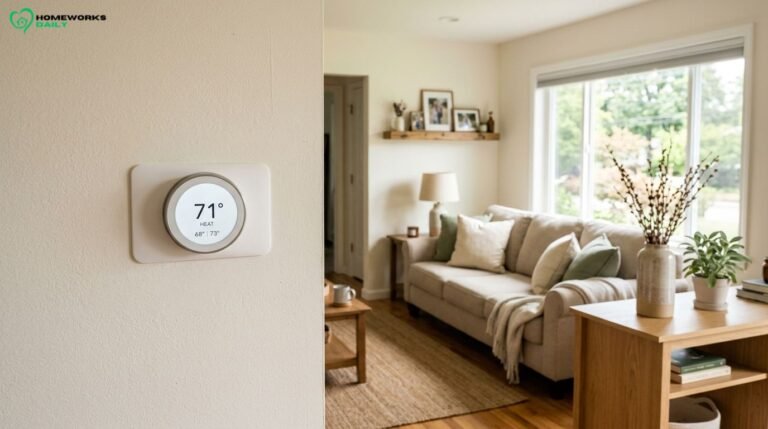
You wake up to a chilly house, turn up the heat, and rush out the door. Hours later, you realize the furnace may have been heating an empty home all morning.
Sound familiar?
A Smart Thermostat can make temperature control easier by adjusting your heating and cooling schedule, responding to household routines, and letting you change settings from your phone.
But which one deserves a spot on your wall?
For most compatible central HVAC systems, the ecobee Smart Thermostat Premium is our most versatile pick. The Google Nest Learning Thermostat (4th gen) makes more sense if you prefer automatic scheduling, while Amazon’s Smart Thermostat offers a practical lower-cost option.
The catch? Wiring and HVAC compatibility matter more than fancy features.
We’ve compared seven options for US households, considering manufacturer specifications, available pricing, installation requirements, and everyday usefulness. Here’s how to find one that fits your home without overspending.
Smart Thermostat Picks at a Glance
Not every household needs the same thermostat. A busy family might appreciate room sensors, while someone living alone may be perfectly happy with a simple Wi-Fi model.
Here’s our comparison of seven smart thermostats worth considering in 2026.
| Smart thermostat | Best for | US price* | HVAC and wiring considerations | Standout feature | Main drawback |
| ecobee Smart Thermostat Premium | Best overall versatility | $259.99 | Most compatible 24V systems; C-wire or included power adapter | Included room sensor and air-quality monitoring | Higher price |
| Google Nest Learning Thermostat (4th gen) | Automatic scheduling | $279.99 | Many 24V systems; usually no C-wire needed | Learning features and included temperature sensor | Expensive |
| ecobee Smart Thermostat Essential | Affordable everyday comfort | $139.99 | Compatible 24V systems; C-wire or separately purchased adapter | Touchscreen and scheduling | Fewer premium features |
| Amazon Smart Thermostat | Alexa households on a budget | $79.99 | Compatible 24V systems; C-wire or adapter required | Alexa scheduling and remote control | Limited ecosystem flexibility |
| Honeywell Home X8S | Connected homes and advanced controls | $219.99 | Supported 24V systems; C-wire required | Large display and video doorbell integration | Advanced extras may be unnecessary |
| Sensi Touch 2 | Straightforward control and optional sensors | $209.99 | Compatible 24V systems; C-wire always required | Flexible schedules and sensor support | Sensors cost extra |
| Mysa for Electric Baseboard Heaters V2 | Electric baseboard heating | $159.00 | Compatible 120–240V line-voltage electric heating | Electric heating energy monitoring | Not for central HVAC |
Prices are US manufacturer-listed prices or verified US retail listings researched October 24, 2026, before tax, installation, optional accessories, and rebates. They are not guaranteed checkout prices. Honeywell X8S pricing refers to a version without an included room sensor.
Quick buying tip: Before comparing displays, apps, or energy-saving features, identify your existing HVAC system and check compatibility using the manufacturer’s official tool.
7 Smart Thermostat Options Worth Considering
These aren’t ranked solely by technology or price. Each model earns consideration because it serves a particular household need.
1. ecobee Smart Thermostat Premium — Best Overall for Versatility
Price: $259.99
If you want a thermostat that does more than follow a basic schedule, the ecobee Smart Thermostat Premium deserves serious consideration.
Its biggest advantage is the combination of smart temperature control, room sensing, and support for compatible HVAC accessories.
The thermostat includes an ecobee SmartSensor, which can help prioritize comfort in a room away from the main thermostat.
Imagine a two-story house where the upstairs bedroom feels warmer than the downstairs hallway. A room sensor can help the thermostat respond to the upstairs temperature instead of relying entirely on the hallway reading.
That doesn’t magically fix poor airflow, but it can improve how the system responds to the spaces you actually use.
The Premium also provides:
- Built-in indoor air-quality monitoring.
- Occupancy-aware comfort features and scheduling.
- Voice assistant integration, including Alexa and supported Siri functionality.
- Compatibility with Apple HomeKit, Alexa, and other supported smart-home platforms.
- Support for certain humidifiers, dehumidifiers, and ventilation equipment.
It works with many conventional 24V heating and cooling systems, including supported heat pumps and dual-fuel arrangements. A Power Extender Kit comes in the box for compatible installations without a C-wire.
The drawback: At nearly $260, you’re paying for features you might rarely use. Air-quality monitoring is informational, not a substitute for dedicated professional-grade testing, and optional ecobee security services require a subscription.
Our verdict: A strong all-around choice for homeowners who value comfort, flexibility, and room sensing. If you only need remote temperature adjustments, a less expensive thermostat is probably enough.
2. Google Nest Learning Thermostat (4th Gen) — Best for Automatic Scheduling
Price: $279.99
Some people enjoy programming detailed schedules. Others would rather have their thermostat figure things out.
The Google Nest Learning Thermostat (4th gen) is designed for the second group.
It uses learning and adaptive temperature-control features to help manage comfort around household habits, reducing the need for constant manual adjustments.
Google includes one second-generation Nest Temperature Sensor, allowing you to consider temperatures in another room.
The thermostat also offers a polished display, Google Home integration, and Matter compatibility for supported smart-home platforms.
One particularly useful feature is its power-sharing design. Google says the fourth-generation model works without a C-wire in most compatible homes, although a small number of installations require a C-wire or Nest Power Connector.
That’s appealing if your existing thermostat has older wiring.
However, don’t confuse broad compatibility with universal compatibility. You’ll still need to check your HVAC system, especially if you have unusual staging, proprietary controls, or heating accessories.
The drawback: Its premium price is difficult to justify if your schedule is predictable and you’re happy programming temperatures yourself. It also requires the Google Home app for setup.
Our verdict: Worth considering if automatic scheduling, attractive design, and Google Home integration matter most. It’s less compelling for shoppers who want simple controls at the lowest cost.
3. ecobee Smart Thermostat Essential — Best Value for Everyday Comfort
Price: $139.99
Here’s where spending less can make perfect sense.
The ecobee Smart Thermostat Essential delivers many of the features people genuinely use: smartphone adjustments, scheduled temperature changes, energy reports, and a color touchscreen.
It’s especially appealing for first-time smart-home buyers.
Suppose everyone leaves home around 8 a.m. and returns after 5 p.m. You could create a comfortable morning schedule, use energy-saving settings during the workday, and have the house return toward your preferred temperature before the evening rush.
You don’t necessarily need advanced learning software for that.
The Essential supports popular integrations, including Apple HomeKit, Alexa, and Google Assistant, and can work with compatible ecobee SmartSensors purchased separately.
There’s one important installation detail: Unlike the Premium, the Essential does not include ecobee’s Power Extender Kit.
The manufacturer lists that accessory at $24.99, and some homes without a C-wire will need it.
The drawback: You lose some premium hardware, included accessories, and built-in extras available on more expensive ecobee models.
Our verdict: One of the more sensible midpriced choices if you want a recognizable smart-home platform without paying for features you don’t need.
4. Amazon Smart Thermostat — Best Low-Cost Option for Alexa Users
Price: $79.99
A smart thermostat doesn’t have to cost hundreds of dollars.
The Amazon Smart Thermostat offers smartphone control, scheduling, and Alexa-based automation at a relatively accessible price.
It’s particularly attractive if you already use Echo speakers or Alexa routines.
For example, a hypothetical family could use Alexa to adjust its temperature schedule as everyone leaves for work and school, without adding another elaborate smart-home system.
The device is ENERGY STAR certified and uses Honeywell Home thermostat technology. Setup uses the Alexa app, and compatible Ring app control is also available.
But the lower upfront price comes with limitations.
Amazon requires a C-wire or an appropriate power adapter for compatible installations. It also doesn’t support certain HVAC configurations, including dual-fuel heat pumps with backup gas or oil furnaces.
Its smart-home experience is centered on Alexa rather than offering the same broad integration choices as some competitors.
The drawback: Fewer advanced thermostat controls and a narrower smart-home ecosystem may frustrate enthusiasts.
Our verdict: A practical budget pick for Alexa households with compatible HVAC wiring. Don’t buy it solely because it’s cheap if installation requires expensive modifications.
5. Honeywell Home X8S — Best for Feature-Rich Connected Homes
Price: $219.99 without a room sensor
The Honeywell Home X8S Smart Thermostat combines traditional HVAC control with features aimed at a more connected household.
Its 5-inch customizable touchscreen is especially useful if you prefer adjusting temperatures directly on the wall.
It also supports compatible First Alert and Ring video doorbells, allowing homeowners to view and communicate with visitors from the thermostat.
That’s an unusual convenience, although hardly an essential heating and cooling feature.
More relevant to comfort are its occupancy sensing, scheduling, energy reports, and compatibility with supported wireless room sensors.
The X8S works with Matter and major smart-home ecosystems, including Apple Home, Alexa, and Google Home. It uses the First Alert app for connected controls.
Manufacturer specifications cover numerous conventional and heat-pump configurations, but a C-wire is required, and accessory compatibility must be confirmed.
Buyers should also compare package contents carefully: Some X8S variants include a wireless room sensor, while others do not.
The drawback: Much of its appeal comes from extra connected-home features. If you don’t use compatible doorbells or need its advanced controls, you’ll be paying for capabilities with little everyday value.
Our verdict: A worthwhile alternative for homeowners who want a prominent wall display, broad integration, and optional room-focused control.
6. Sensi Touch 2 — Best for Straightforward Controls
Price: $209.99
The Sensi Touch 2 appeals to buyers who want a modern-looking thermostat without making their heating schedule overly complicated.
Its touchscreen, smartphone controls, flexible scheduling, and geofencing provide the essentials of smart-home temperature management.
Sensi also emphasizes privacy in its product positioning, which makes it worth comparing for buyers concerned about connected-home data. However, you should still review its current privacy policy and app permissions.
A practical advantage is optional Sensi Room Sensor support.
If your home office gets too warm while the rest of the house feels comfortable, a compatible room sensor lets the thermostat take that location into account.
Sensi Touch 2 also offers equipment usage reports, maintenance reminders, and alerts for certain temperature or HVAC conditions.
It supports Alexa, Google Home, and Samsung SmartThings.
There are two important limitations: A C-wire is required for every installation, and its official compatibility information does not list Apple HomeKit support for the Touch 2.
The drawback: At over $200, adding separately purchased room sensors increases the total investment. For basic scheduling alone, cheaper models can accomplish much of the same job.
Our verdict: A good choice for homeowners who appreciate an easy-to-read display, clear scheduling options, and equipment-monitoring features.
7. Mysa for Electric Baseboard Heaters V2 — Best for Electric Baseboard Heating
Price: $159.00
Most popular smart thermostats are designed for central, low-voltage heating and cooling. That’s a problem if your home relies on electric baseboard heaters.
The Mysa for Electric Baseboard Heaters V2 serves a different purpose.
It’s designed for compatible high-voltage electric heaters, including baseboard units, fan-forced heaters, certain self-contained hydronic baseboards, and radiant ceiling systems.
The V2 supports scheduling, remote temperature control, energy monitoring, and major voice platforms, including Alexa, Google Home, and Apple HomeKit.
Its energy monitoring is particularly interesting for homes with multiple electric heating zones.
For example, a homeowner might discover that a rarely used guest room operates on a schedule that’s unnecessarily warm. Separately controlling that room could reduce avoidable heating.
However, electrical requirements are strict.
The V2 supports compatible 120V and 240V installations, with a maximum rated load of 16 amps. It requires an appropriate wiring arrangement with a neutral or second line connection. It is not designed for ordinary 24V central HVAC systems.
The drawback: This is a specialized electrical product, not a universal replacement. Professional electrical installation may be necessary or legally required.
Our verdict: One of the more relevant choices for US households with electric baseboard heating. Its compatibility advantage matters more than comparing its display with central HVAC thermostats.
How to Choose a Smart Thermostat
Before spending money, answer one simple question:
What problem are you actually trying to solve?
If your biggest complaint is forgetting to turn down the heat, scheduling may be enough. If the upstairs bedrooms are uncomfortable, room sensing could be useful. If you have an unusual HVAC system, compatibility should drive the entire decision.
Start With Your Total Budget
The thermostat’s sticker price isn’t necessarily its installed cost.
Consider the device, power adapter, additional sensors, optional accessories, professional labor, and applicable taxes.
For example, the ecobee Essential costs less upfront than the Premium, but a separate power adapter and room sensors can narrow the difference.
That doesn’t automatically make the Premium a better deal. It simply means you should compare the full package.
For more advice about evaluating upgrade costs, see HomeWorks Daily’s practical guide to tools, tips, and home improvement deals.
Check Your HVAC System Before Anything Else
Most mainstream smart thermostats are intended for compatible low-voltage, typically 24V, heating and cooling systems.
But compatibility depends on more than whether you have a furnace and air conditioner.
Pay special attention to:
- Heat pumps with auxiliary or emergency heat.
- Multi-stage heating and cooling.
- Dual-fuel systems combining a heat pump and furnace.
- Proprietary or communicating HVAC controls.
- Zoned systems and equipment with additional accessories.
- High-voltage electric baseboard heating.
A thermostat may physically fit your wall but still lack the controls required by your equipment.
Understand C-Wire Requirements
A C-wire, or common wire, provides a continuous power connection that many connected thermostats need.
Some models can operate without one. Others require a suitable adapter.
For example, the Nest Learning Thermostat (4th gen) generally doesn’t require a C-wire on supported systems, whereas the Sensi Touch 2 does.
Don’t assume an unused wire is safe to connect as a C-wire. That connection must be correctly established at the HVAC equipment.
Choose the Smart-Home Integration You’ll Actually Use
If you use Alexa every day, Amazon’s thermostat may fit naturally into your routine.
If you’re committed to Google Home, Nest deserves consideration.
Apple Home users should check each specific model’s compatibility rather than assuming every thermostat from a familiar brand supports it.
Matter can broaden interoperability among participating platforms, but it doesn’t eliminate HVAC compatibility requirements or guarantee that every advanced feature appears in every app.
Decide Whether Learning Features Are Necessary
A learning thermostat can adapt to patterns in how you use your home.
A programmable thermostat follows schedules you configure.
Neither approach is automatically superior.
Consider two hypothetical households:
Household A: Two adults work predictable hours, Monday through Friday. A programmed weekday schedule may deliver nearly everything they need.
Household B: Different people work rotating shifts and leave at unpredictable times. Occupancy features and adaptive scheduling could be more useful.
Buy the technology that matches your routine, not the technology with the most complicated description.
Think Carefully About Sensors and Energy Reports
Room sensors are valuable when the thermostat’s location doesn’t reflect where people spend time.
Still, one thermostat controlling one HVAC system generally cannot heat or cool rooms independently without appropriate zoning equipment.
Energy reports can also help identify unusual heating and cooling patterns. Remember that many thermostat reports show HVAC runtime rather than directly measuring the actual dollars on your utility bill.
Review Privacy, Connectivity, and Ongoing Support
Check app availability, security update practices, account requirements, and how basic controls operate during an internet outage.
Ask whether the thermostat needs cloud services for remote features and whether optional functions carry subscription costs.
For example, ecobee’s optional security services have subscription plans, while its ordinary thermostat scheduling does not require purchasing a home security subscription.
Can a Smart Thermostat Actually Save Money?
Yes, a smart thermostat can reduce heating and cooling costs when it helps your household use less energy without sacrificing necessary comfort. Savings depend on your climate, HVAC equipment, previous thermostat settings, and how consistently energy-saving schedules are used.
According to ENERGY STAR’s smart thermostat guidance, certified smart thermostats are independently evaluated using actual field data to demonstrate energy savings.
The US Department of Energy also explains that adjusting thermostat settings by approximately 7–10°F for eight hours daily can save as much as 10% annually on heating and cooling under suitable conditions.
That’s a potential benefit of changing temperature settings, not a guarantee that installing any particular thermostat will cut your bill by 10%.
Here’s the difference.
If you currently leave the heating at 72°F all day while nobody is home, automatic setbacks could offer meaningful savings.
But if you already use a well-programmed thermostat and rarely override it, upgrading may produce relatively little additional energy reduction.
Other factors matter too:
- Local weather and the length of your heating or cooling season.
- Heating fuel and utility rates.
- Home insulation and air leakage.
- Thermostat schedules and comfort preferences.
- Heat pump control strategies, particularly auxiliary heat operation.
With heat pumps, aggressive temperature recovery can sometimes activate expensive backup resistance heating. Appropriate equipment-specific controls are important.
Before blaming the thermostat for uncomfortable rooms or rising bills, consider drafts, duct problems, and insulation. HomeWorks Daily’s home upgrade tips include practical ideas such as weatherstripping doors and windows.
Don’t Forget Utility Rebates
Some US utilities provide rebates or discounted smart thermostats.
You can begin with the ENERGY STAR smart thermostat rebate resources and check your utility provider’s current eligibility rules.
A discounted thermostat may change which option represents the best overall value.
However, some incentive programs involve enrolling in demand-response events that permit limited temperature adjustments during periods of high grid demand.
Review those terms carefully before enrolling.
Smart Thermostat Installation: What to Check First
Installing a compatible low-voltage thermostat can be manageable for an experienced DIYer, but it isn’t always a simple weekend project.
Before buying or removing your existing thermostat:
- Identify the HVAC equipment. Record the furnace, air conditioner, or heat pump model information.
- Document existing wiring. With the equipment powered off, follow safe inspection instructions and photograph the existing labeled connections before disconnecting anything.
- Use the manufacturer’s compatibility checker. Don’t assume wire colors identify their functions.
- Confirm power requirements. Check whether a C-wire, adapter, or additional electrical work is necessary.
- Account for system complexity. Multi-stage heat pumps, dual-fuel arrangements, proprietary controls, and zoning panels may need specialized setup.
- Review the installation instructions. Confirm you’re comfortable completing the work safely and checking system operation afterward.
Always follow the manufacturer’s safety directions, including disconnecting and verifying power before working on thermostat wiring.
Call a qualified HVAC professional if wiring is unclear, equipment uses proprietary communication, or the installation requires control-board modifications you aren’t trained to perform.
For electric baseboard heating, the stakes are higher because line-voltage circuits may carry 120V or 240V. Hire a qualified electrician when required by local code or whenever you’re uncertain about the wiring.
Never connect a thermostat designed for low-voltage HVAC directly to a line-voltage heating circuit.
Common Smart Thermostat Buying Mistakes
Even a highly rated thermostat can be a disappointing purchase if it doesn’t fit your situation.
- Buying before confirming compatibility. A discounted device isn’t a bargain if your HVAC system cannot use it.
- Overlooking the C-wire. An adapter or professional installation can change the actual cost.
- Assuming remote sensors create separate heating zones. Sensors help prioritize temperature readings; they don’t replace proper HVAC zoning.
- Paying extra for learning features you won’t use. A reliable programmed schedule may already suit your household.
- Ignoring smartphone ecosystem compatibility. Check the exact thermostat model, not just the brand.
- Believing energy savings are automatic. Good schedules and sensible temperature settings matter.
- Forgetting rental-property restrictions. Changing permanently installed HVAC controls without permission can create avoidable problems.
One more mistake is buying an older product simply because a retailer still has inventory. For instance, Honeywell Home now identifies its older T9 thermostat as discontinued, even though some retailers may still carry remaining units.
Consider future app support and replacement accessories, not just today’s discount.
Frequently Asked Questions
Is a Smart Thermostat Worth Buying?
A smart thermostat is often worth buying if you want convenient remote control, automatic schedules, or help managing heating and cooling when nobody is home. Its financial value depends on existing thermostat habits, installation costs, and actual energy savings.
If you’re already using efficient settings consistently, convenience may be the primary reason to upgrade.
Can a Smart Thermostat Work Without a C-Wire?
Yes. Some models, including the Google Nest Learning Thermostat (4th gen), can operate without a C-wire on many compatible systems.
Other models require a C-wire or an approved adapter. Check your exact HVAC configuration before buying because power requirements differ significantly among products.
Do Smart Thermostats Work With Every HVAC System?
No. Many smart thermostats work with common low-voltage furnaces, air conditioners, and heat pumps, but not every configuration.
Proprietary communicating systems, unusual staging, certain dual-fuel arrangements, and line-voltage heating can require different equipment or professional installation.
How Much Can a Smart Thermostat Save on Energy Bills?
There’s no universal dollar amount. A smart thermostat may save money by reducing unnecessary heating and cooling, but results depend on your existing settings, climate, utility prices, and equipment.
Households that already use efficient programmed schedules may see smaller additional savings than homes that maintain one temperature continuously.
What’s the Difference Between a Smart Thermostat and a Programmable Thermostat?
A programmable thermostat adjusts temperatures according to a schedule you enter.
A smart thermostat typically adds connected features such as app control, remote adjustments, occupancy sensing, automatic scheduling, or energy reports.
Some smart models learn household patterns, while others mainly make traditional scheduling easier.
Can Renters Install a Smart Thermostat?
Renters may be able to install a compatible smart thermostat, but they should obtain the landlord’s written permission first.
The heating and cooling equipment belongs to the property, and unauthorized modifications could violate lease terms.
Keep the original thermostat if the landlord approves a reversible replacement.
Which Smart Thermostat Features Are Actually Worth Paying More For?
Room sensors are worth considering when temperatures vary across frequently occupied rooms. Learning schedules can help unpredictable households, while advanced HVAC controls may be important for complex equipment.
For most people, reliable scheduling, a usable app, suitable compatibility, and straightforward operation matter more than premium styling or voice features.
Final Verdict: Which Option Makes Sense for Your Home?
The best smart thermostat isn’t necessarily the newest or most expensive. It’s the one that works correctly with your HVAC equipment and makes everyday comfort easier to manage.
If you want a flexible premium option, the ecobee Smart Thermostat Premium is our overall recommendation for compatible homes.
If automatic learning and Google Home integration are priorities, consider the Nest Learning Thermostat (4th gen).
For everyday temperature control without the premium price, the ecobee Smart Thermostat Essential is a sensible alternative.
Alexa users on a tighter budget should look at the Amazon Smart Thermostat. Buyers wanting sophisticated connected-home features can consider the Honeywell Home X8S, while the Sensi Touch 2 offers straightforward scheduling and optional sensor support.
And for compatible electric baseboard heating, choose a purpose-built line-voltage product such as the Mysa V2, not an ordinary central HVAC thermostat.
Here’s the simplest way to make a confident decision: Check HVAC compatibility first, compare total installed costs second, and pay for advanced features only when they’ll improve your daily routine.
A thermostat should make your home more comfortable and manageable, not give you another complicated gadget to worry about.
For more approachable advice on connected-home technology and worthwhile upgrades, explore HomeWorks Daily’s Smart Home articles and Home Improvement guides.
Sometimes the smartest home improvement isn’t the fanciest one. It’s the upgrade that genuinely fits how you live.